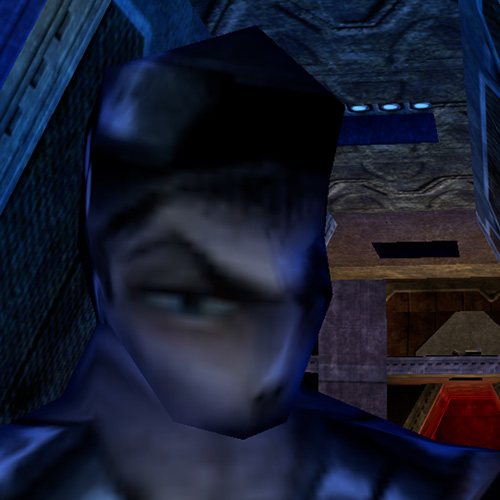
Unreal Wallpaper Remake [Download]
16/04/2026
After discussing about the lack of Unreal/Unreal Tournament merch on the OldUnreal discord, I decided to recreate a wallpaper some of us love but
was too low res to be used as a print for a tshirt.
You can download all of the files by clicking on the Download button next to the title. It'll lead you to Moddb where I uploaded the files (too large).
There's wallpapers in 4K, HD and Ultrawide and the PSD file with the picture in 6000x6000.
So have fun !

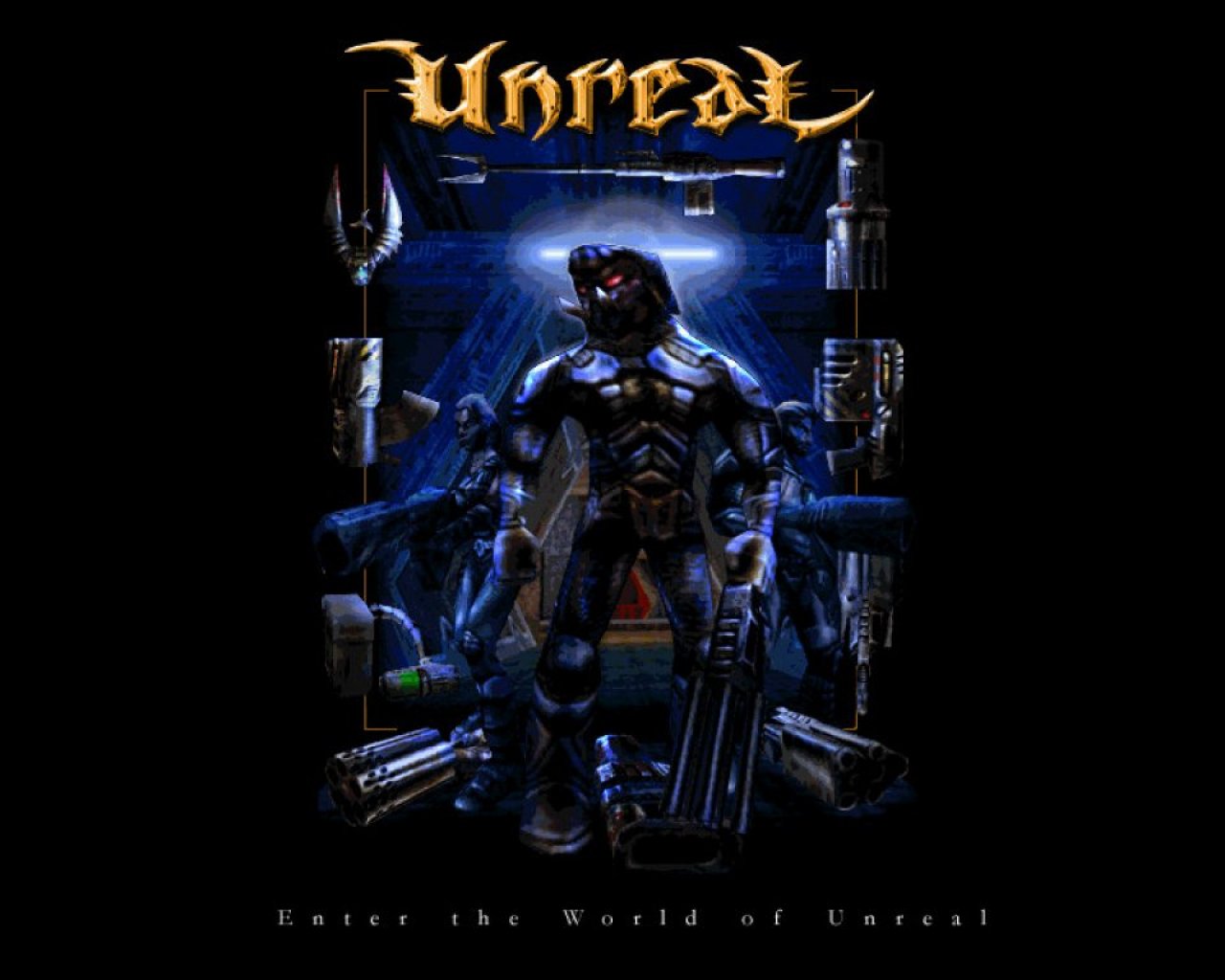
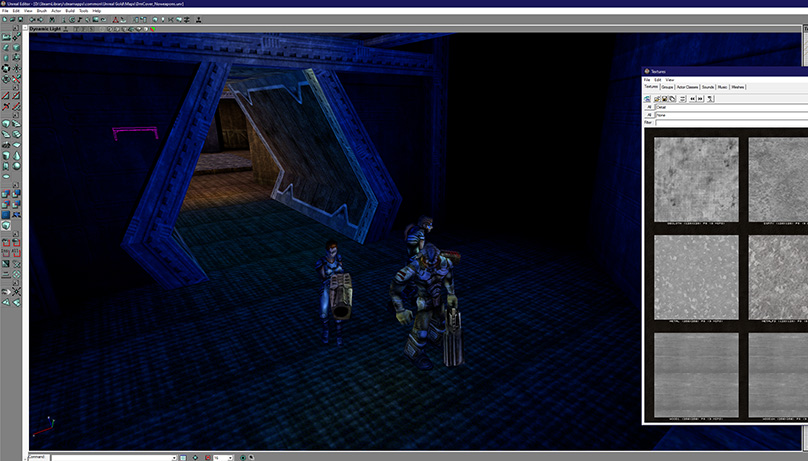
At first I searched for the location of the wallpaper in UnrealEd 1 thinking it was the ISV-Kran or maybe the Mothership and found out it was DmMorbias, a multiplayer map for Unreal.
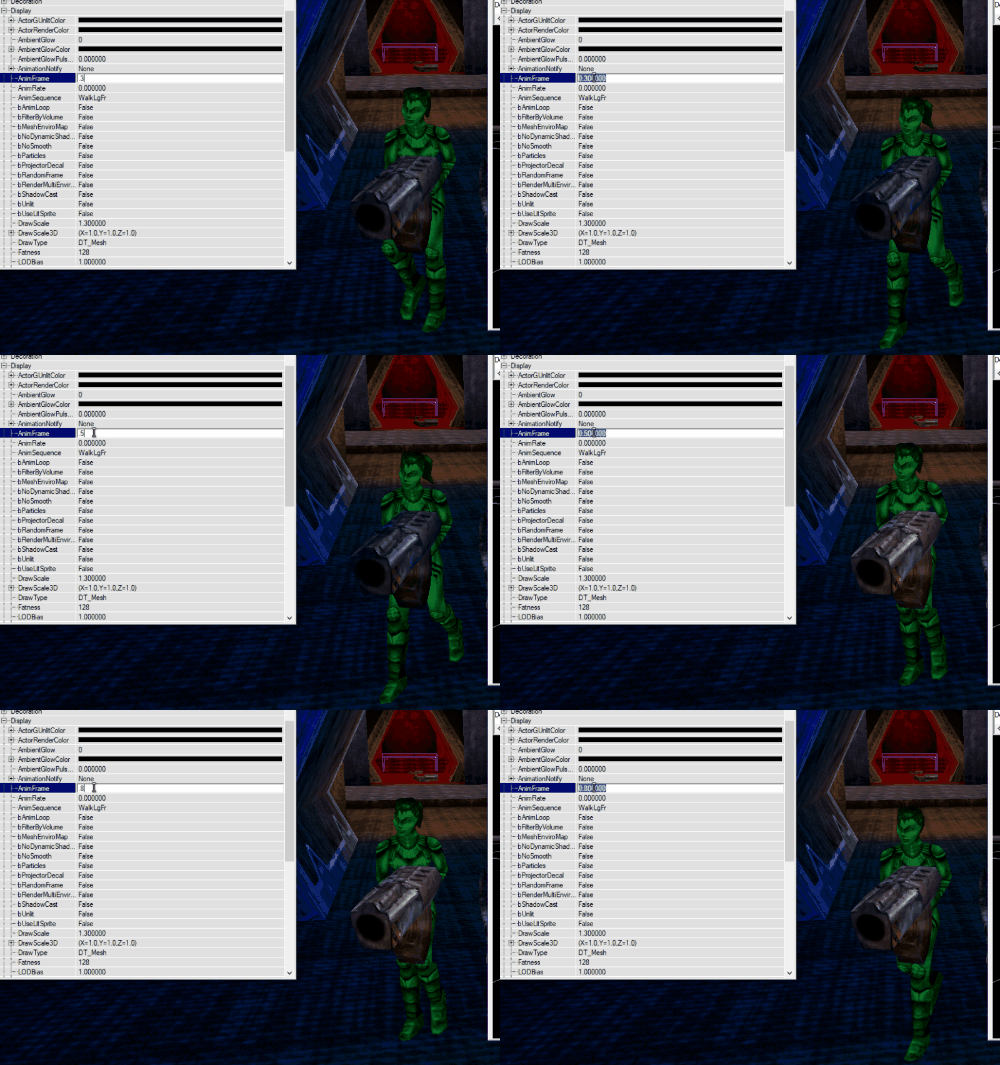
I used the mesh characters from Unreal and searched for their textures, trying to recognise these from the original picture. Then used the animation frame that looked the same. You can use the animation tag in the mesh properties and the frame you want.


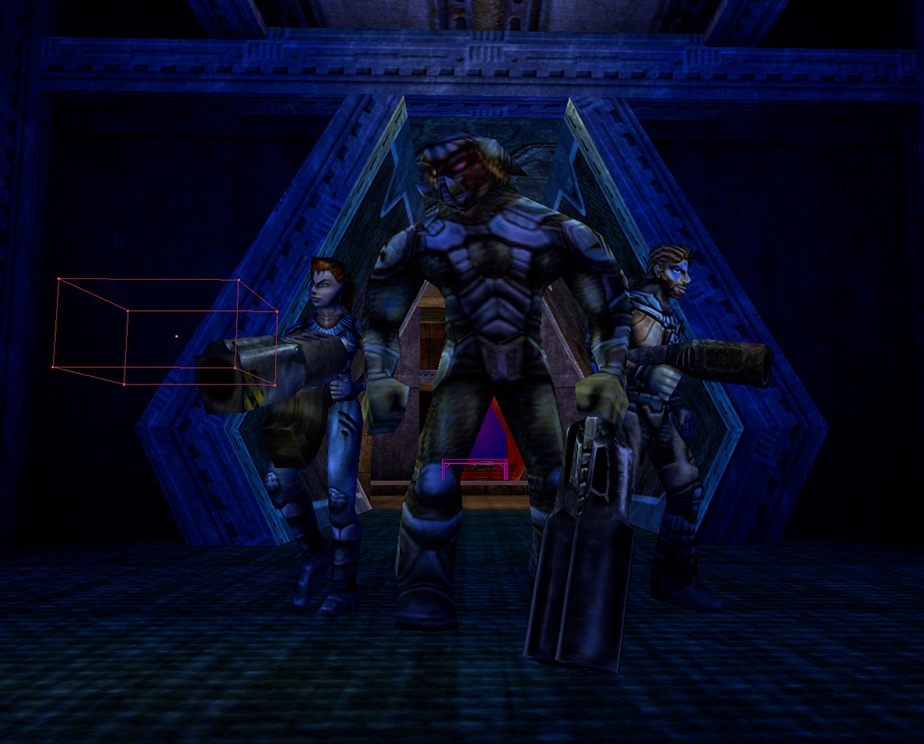
Then it was just a matter of placement and putting the right weapon in their hands.
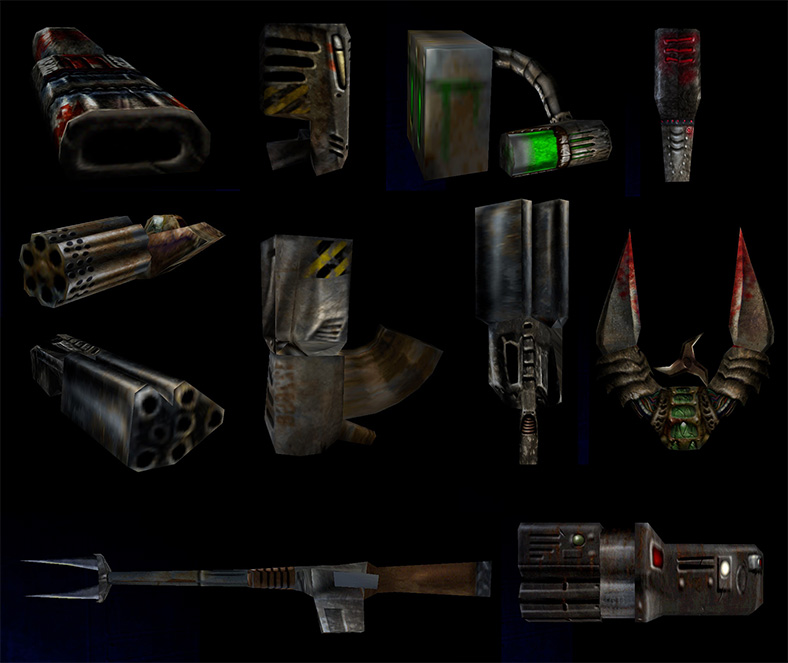
I was also thinking about all of the weapons around and started to put these on the scene and afterward thought it would be easier to work on these separately, especially since I knew I'd have to paint the lights and shadows. So I took screenshots of the weapons in front of a black wall so it would be easier to remove the background in Photoshop.
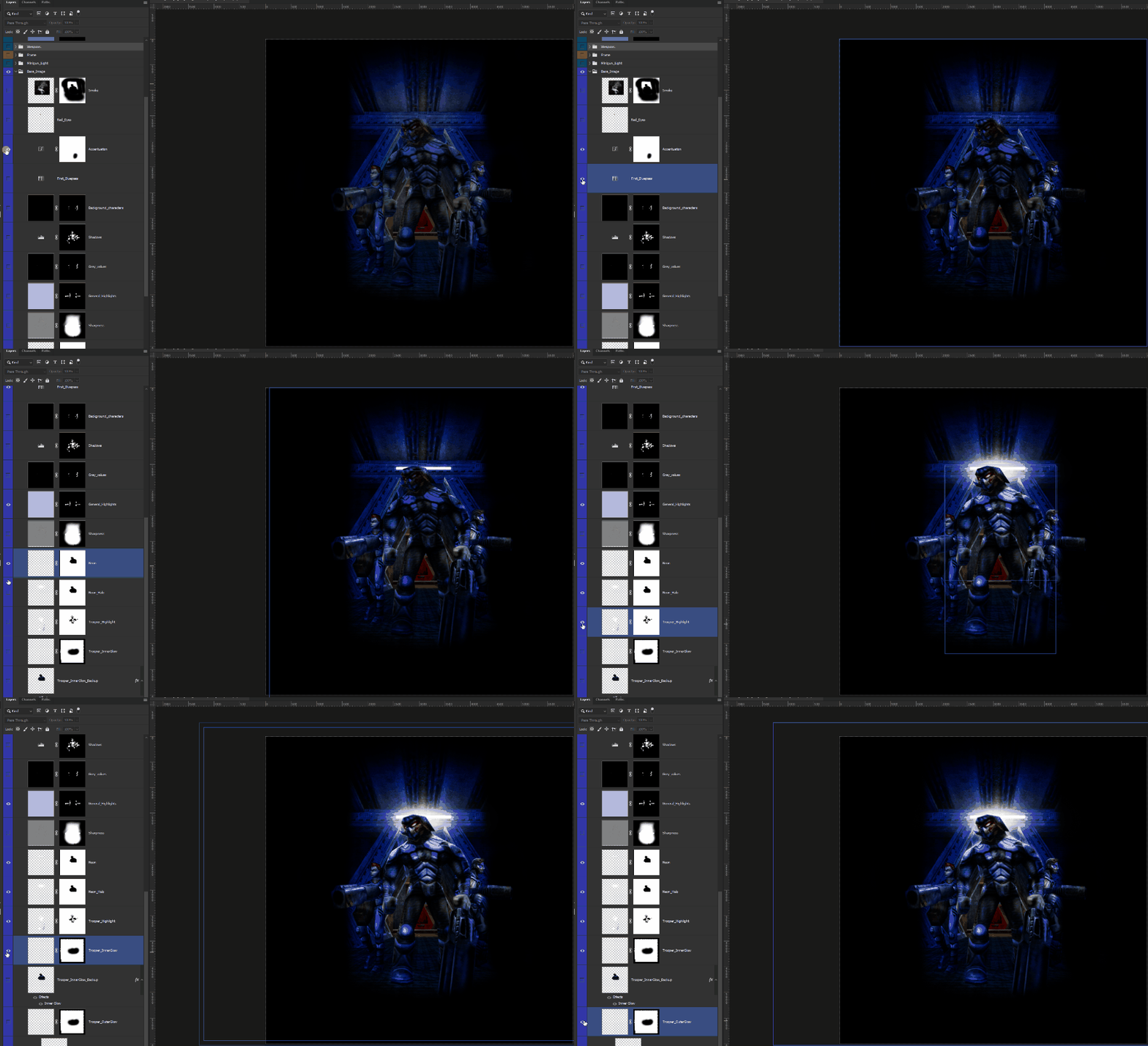
The screenshot I had was pretty bland and it was perfect so it would be easier to add effects, luminosity changes, etc. So I started to add some color filters and curves to match a little bit more the original image.
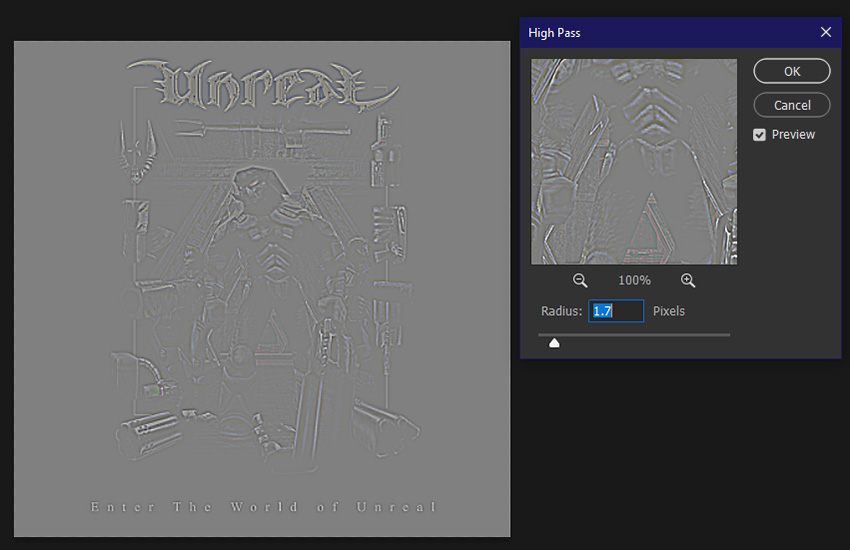
Little tips !
If you want to put some sharpness on your picture without using AI tool, you can use the High pass filter. Just duplicate the picture you want to sharpen, then go to filter -> Other -> High Pass. I suggest a value between 0.5 to 2.0. I don't put it too high because I want this effect to be subtle. Then you put it on Overlay and play with its opacity.
I tend to use it a lot when I create textures on Photoshop to add some details.

I added the neon and halo effect behind on Photoshop, nothing to fancy here and took some liberties by adding some smoke so it looks a bit more mystical/ethereal, woow !
I put some inner and outer glow on the Skaarj Trooper (mid character) to create a rim light on its back.
For the rest of the base, I just used some black or white layers and painted on a mask wherever I wanted some light or shadows, as simple as that again. The color filter and curve will make all of this works on your image without looking cheap.
As a color filter, I love using the Color Lookup in the Adjustment panel. I think it's a really great tool to make some kind of color correction because you can mix these, adjust the opacity and play with the blend modes which gives you tons of possibilities.
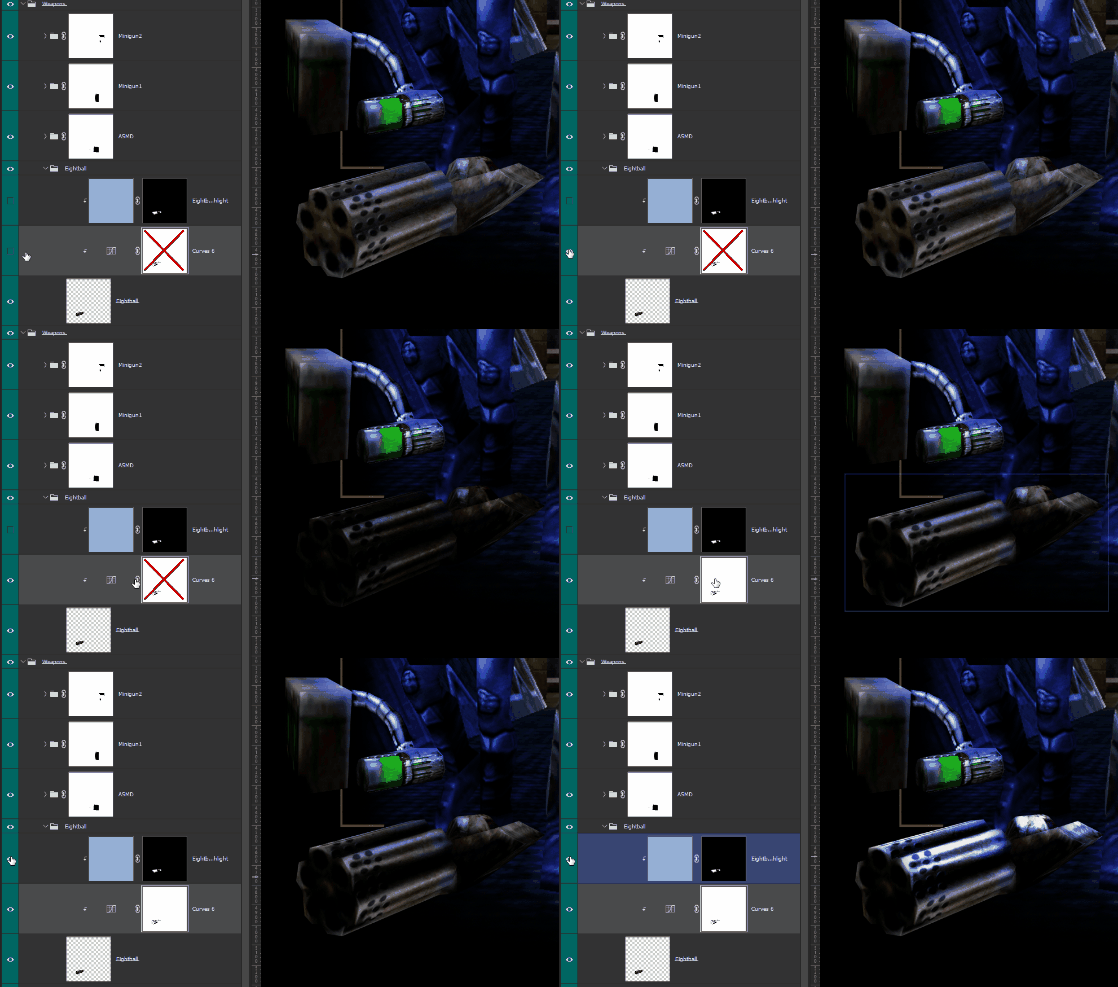
Then I worked on the weapons all around, placed them like on the original picture and painted shadows and blue highlights. For the shadows, I put a level or a curve making the image darker, then add a mask and painted on it.
For the highlights, I just put a colored layer in a light blue and same as the shadows, I added a mask and painted on it.
Finally, I just added the little frame, the Unreal Logo (which is the Unreal Tournament logo, but since it's the same, and it was the highest logo I could find, I just removed the Tournament from it, but shhhh.) and then the text under the picture with a little outer glow on it. I think it adds a little mystic feeling to it !
That's basically it for this wallpaper ! I might make some others, from Unreal or even Unreal Tournament, from original wallpapers or custom, we never know :)
Remember that you can download all of the files at the top of this article ! Bye !